Release Notes
We version releases according to a MAJOR.MINOR.PATCH schema that is inspired by Semantic Versioning, but differs from it because LAUDATIO is an end-user platform and therefore has different requirements.1
We thus, very broadly, define the categories as follows:
MAJORupdates are intended as project outcomes. LAUDATIO2.0.0will thus be the version released at the end of TextPloring (2025-2027).MINORupdates introduce completely new features (e.g. plaintext extraction,1.1.0) or larger changes to the codebase/architecture (e.g.1.3.0). However, they can also occur if parts of the UI or UX change significantly, even if the update does not technically introduce new functionality (e.g. substantial changes to the layout,1.2.0).PATCHupdates contain bug fixes (1.1.1), but also small UI/UX improvements that do not constitute new functionality (e.g. change in wording; making a button open a dropdown). They are also used for introducing quality-of-life improvements (e.g. improved navigation; new menu items) and small feature additions that are based on existing functionality (e.g. a download function is added).
Some versions have an additional "RELEASE" number next to them. This refers to project-internal milestone releases and these are also the LAUDATIO versions tested in our feature test user studies.
1.4.X
This section contains release notes for all patch versions of minor app version 1.4.
1.4.4 (2026-09-24) RELEASE II
General search UI
- [CHANGE] Default fetch limit is 500 now
- [CHANGE] Added option to set fetch limit to 250 and removed option for 10
- [FIX] Empty author strings are counted as "NA, NA" for filter dropdowns now
- [FIX] Some non-array metadata fields in (plaintext) document search results were wrongly handled as arrays, thus showing empty fields
- [FIX] Place stats/chart for plaintext search results could potentially contain
undefinedvalues, so we added a check
Misc.
- [CHANGE] When uploading files, we adapt the alert message depending on the number of uploaded files, the type (header files vs. data files), as well as whether or not plaintext extraction will be initiated (in this case, user gets informed that an e-mail will be sent on completion)
- [CHANGE] For published corpora, we now show excerpt of all genres (instead of just the first)
- [CHANGE/FIX] Determining whether a newer verison of a published corpus is available is now dependent on value of "is_latest_publication" of currently selected version
1.4.3 (2026-09-23)
General search UI
- [FIX] Applying a corpus or document filter when user was on any page other than first did not reset pagination
- [FIX] Added result attribute checks and logic checks (lower range should not be higher than upper range) for making calculating consolidated dates more robust
- [FIX] Made null-value display more coherent by displaying "NA" if an result attribute is empty
Plaintext extraction
- [CHANGE] Use new functions for extraction from TEI for better handling of TEI semantics (i.e. respecting encoded layout in output)
Plaintext display
- [CHANGE] If a plaintext file name included some special characters (such as "," or "%"), generating HTML elements referencing the file was buggy; we therefore change the display to hyphens
- We are aware that this causes a slight discrepancy between displayed and downloaded file names
1.4.2 (2026-09-18)
General search UI
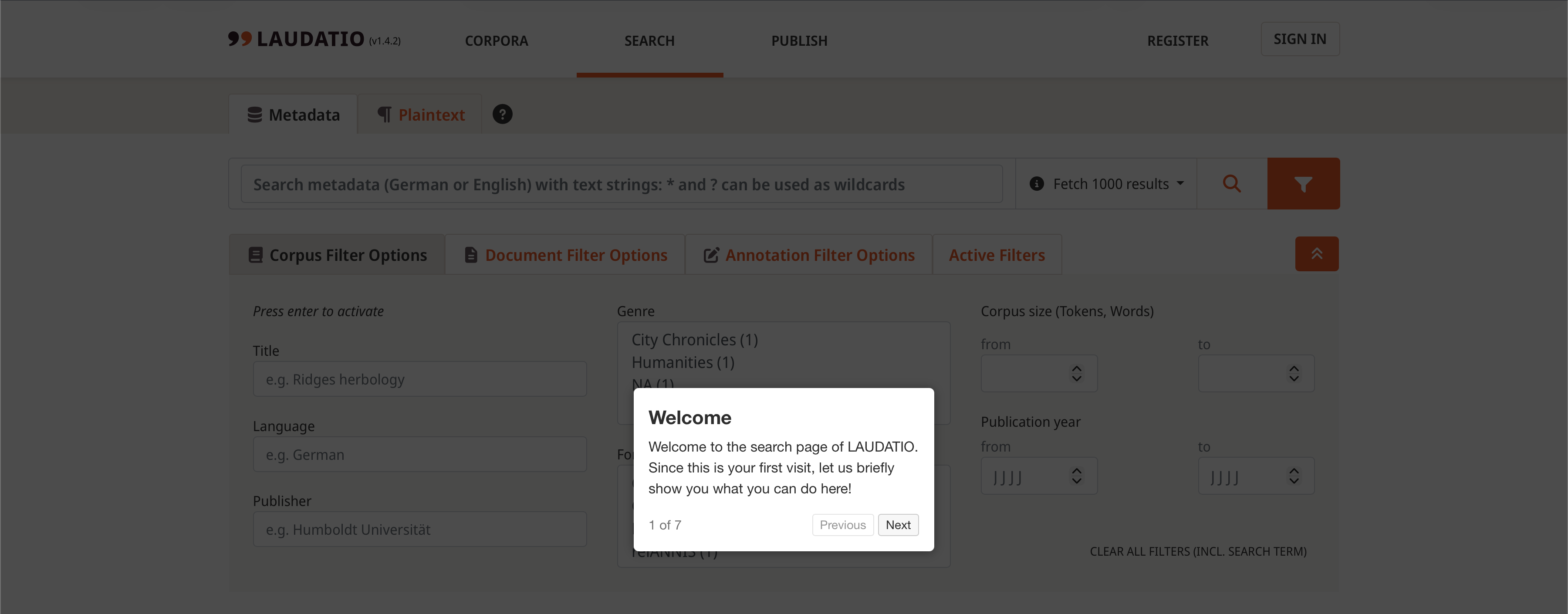
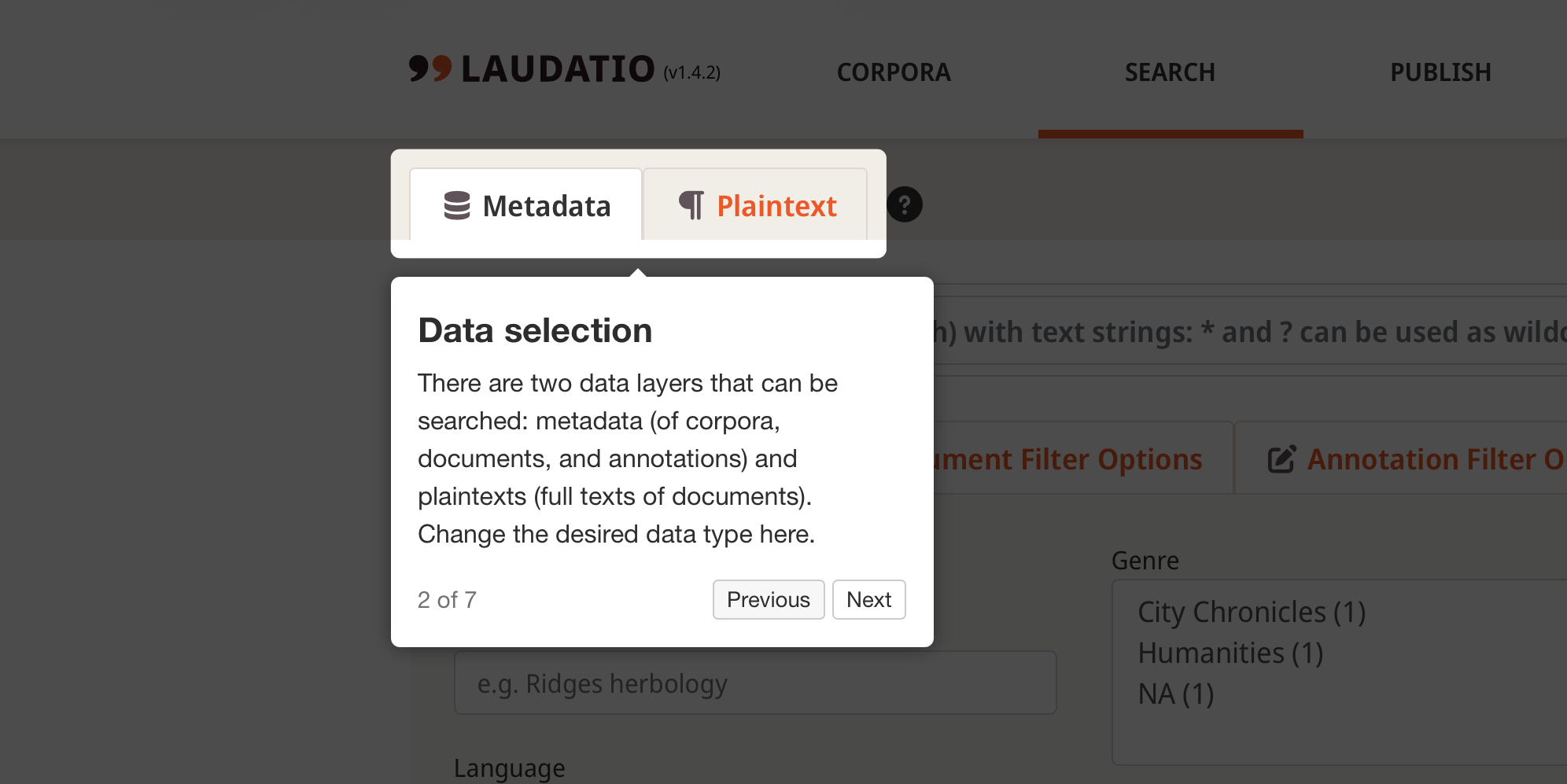
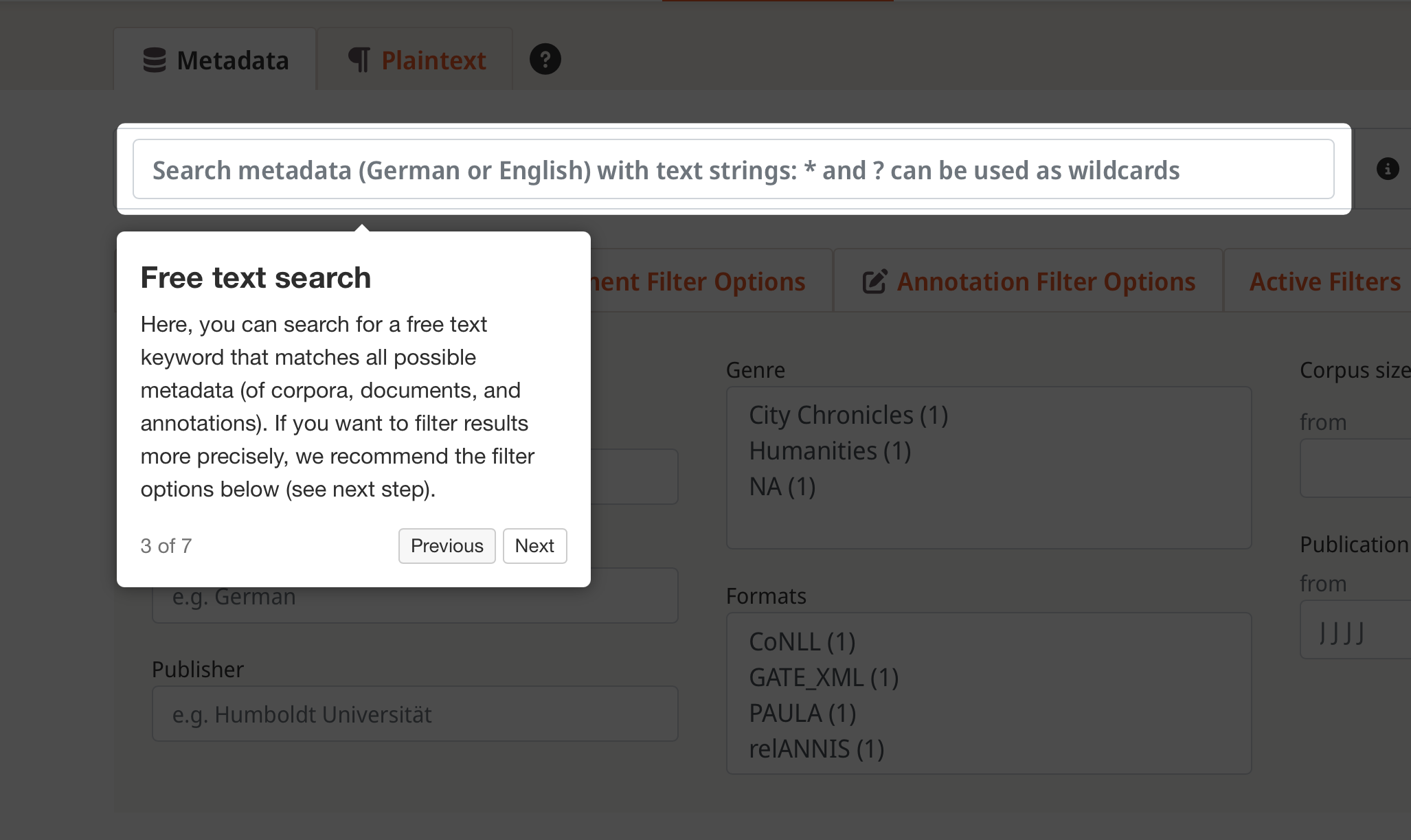
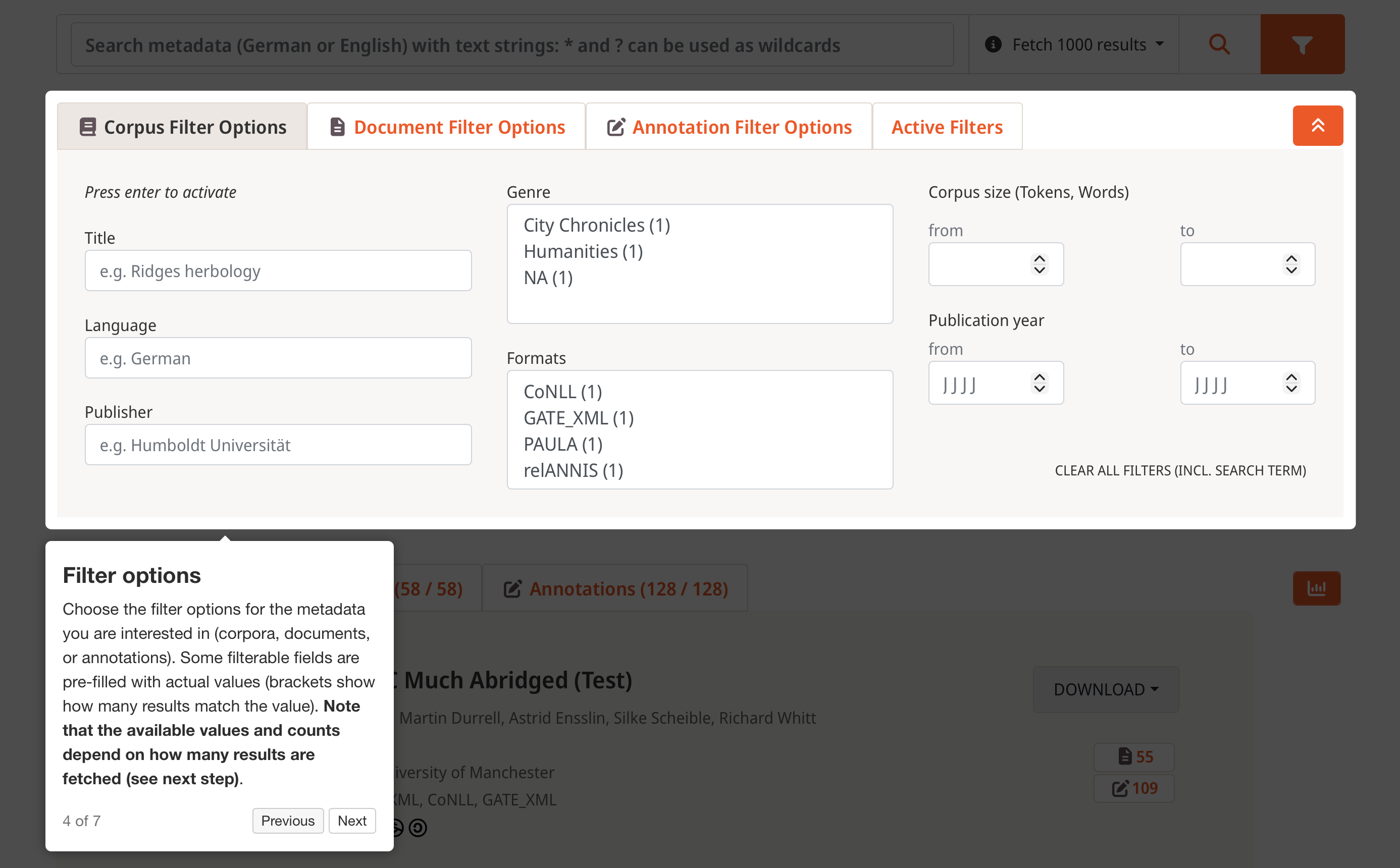
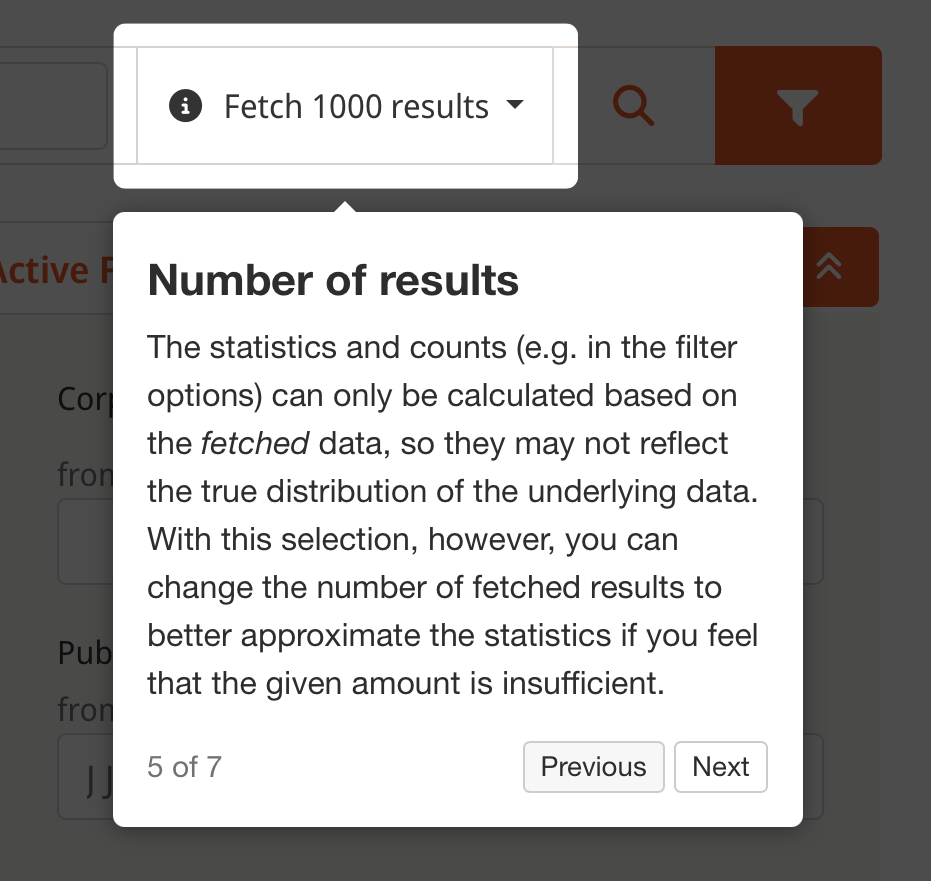
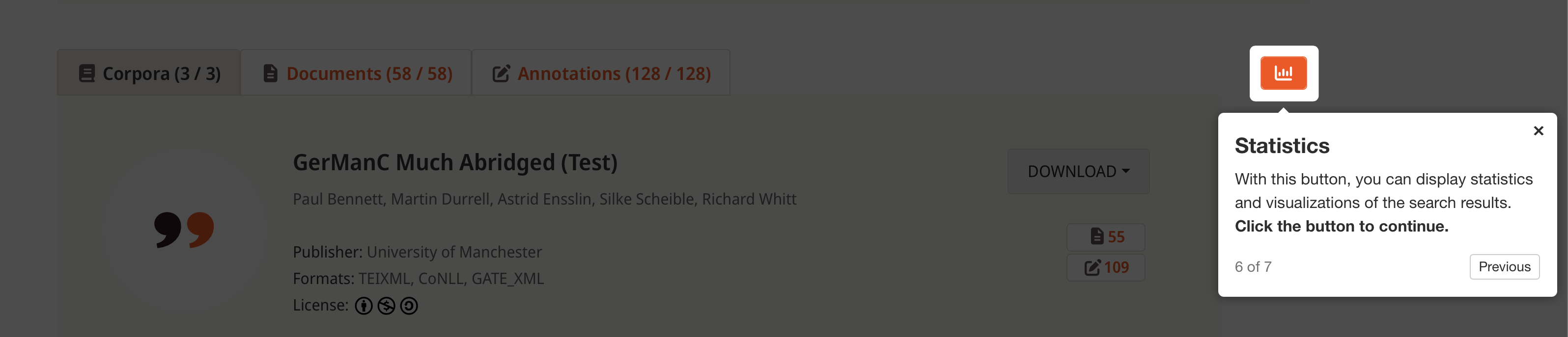
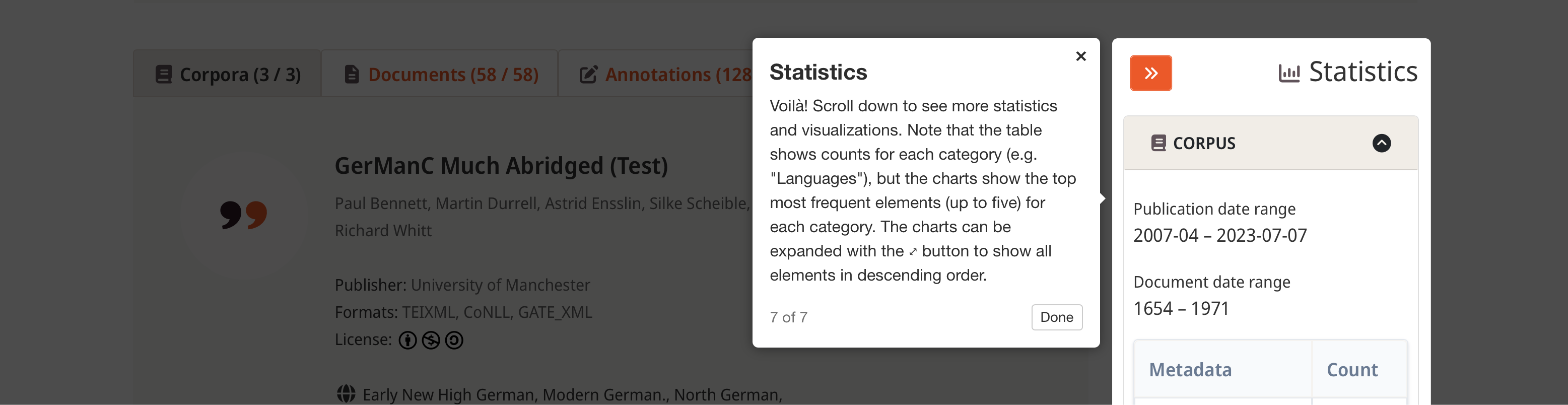
- [NEW] Added a tutorial explaining the basic UI and functions of the search page
- Non-skippable tour of metadata search (default view) is given on first visit
- Abridged tour (that can be cancelled) can be taken at any time after that via "?" button next to "Metadata"/"Plaintext" selection
- Optional tour ("?" button) available for plaintext search UI as well
Step Tour text 1 2 3 4 5 6 7
- [CHANGE/FIX] Elasticsearch results are now sorted by indexing order to allow for continuity between offset results (e.g. with a limit of 100 fetched docs, results 0-100 and 101-200 had overlap before)
- [FIX] Counts of filter options only considered new results (when fetching more) instead of all fetched results
- [FIX] Counts of filter options were not updated on all filter interactions
- [FIX] Resetting a filter (or all filters) now also resets pagination to page 1
- [FIX] Pagination showed inaccurate result numbers on last page
- [FIX] "Next" and last page buttons of pagination were not clickable when results were filtered
- [FIX] Metadata and plaintext statistics columns have same width now
- [FIX] When changing fetch limit on metadata search, we check for active filters and consider them if applicable
Plaintext search
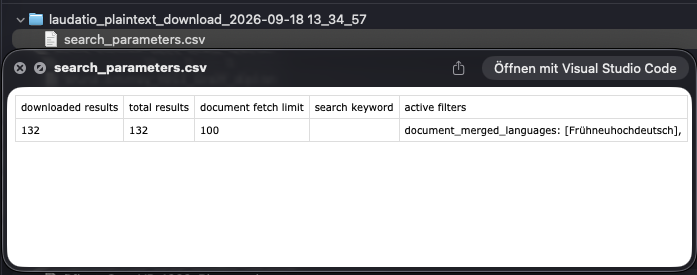
- [NEW] Downloading all results bundles the search/filter parameters as a CSV file in the downloaded .zip archive
Plaintext display
- [CHANGE] If a plaintext file name included a period in addition to the normal suffix period (".txt"), generating HTML elements referencing the file was buggy; we therefore change the display to hyphens instead of periods (e.g.
KCM-tei.txtinstead ofKCM.tei.txt)- We are aware that this causes a slight discrepancy between displayed and downloaded file names
Plaintext extraction
- [FIX] If extraction fails, e-mail was not sent to user because last check assumed that archive name of extracted plaintext always existed
Misc.
- [CHANGE] Fetching all latest plaintexts now uses different default query in backend to be consistent with function used by both search and filter fetching
- [CHANGE] Filtering plaintexts unsets limit and offset for base document metadata matching before setting limit and offset back to original values
- Because not all documents have plaintexts -> with higher limit, we get enough data for gathering plaintext IDs
- Because there can be multiple plaintexts per document -> offset only makes sense for actual plaintext results, but not base documents (e.g. offset of 100, but we have 44 base documents with 132 plaintexts for these 44 documents; offset should only be considered for splitting 132 results)
- [CHANGE] Updated PI infos on project pages
- [CHANGE] Replaced deprecated jquery functions with native JS function calls
1.4.1 (2026-08-31)
General search UI
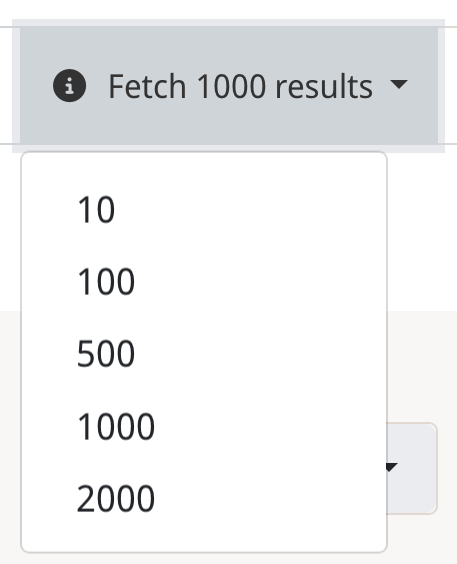
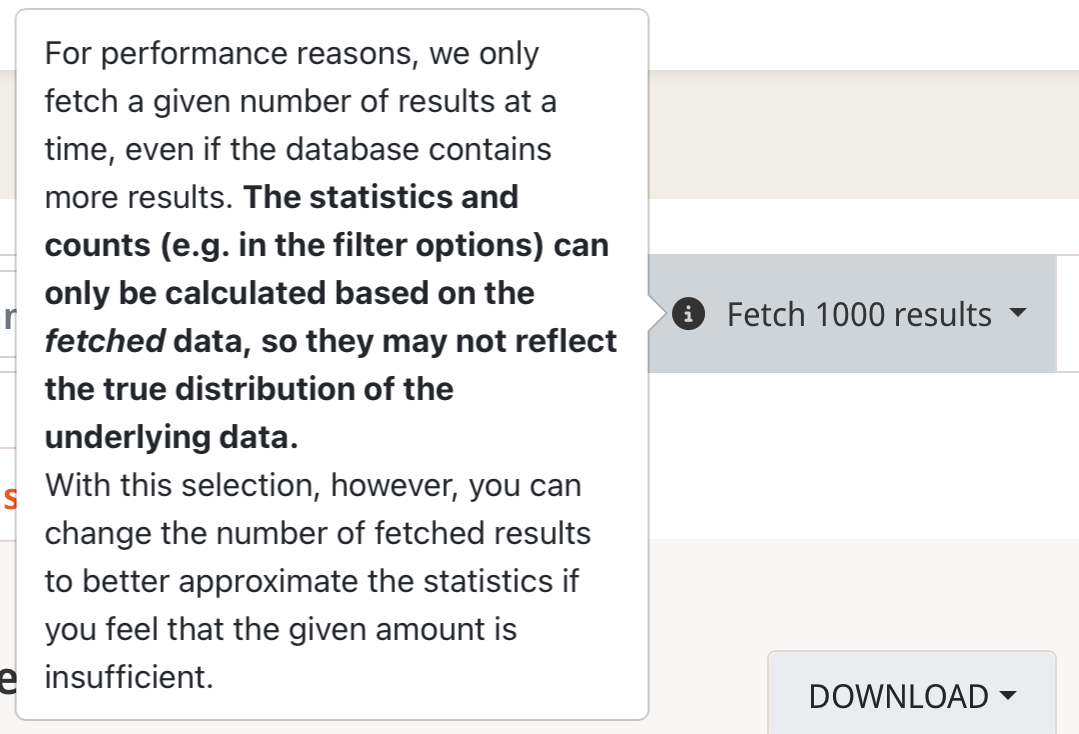
- [NEW] Added a dropdown menu to search bars that allows users to set number of documents fetched at a time (users can thus better control how distributions etc. are calulcated, see last update notes)

- Note that the available selection of document limits is not fixed yet + we added a tooltip with an explanation for this dropdown
Opened dropdown Info tooltip next to dropdown
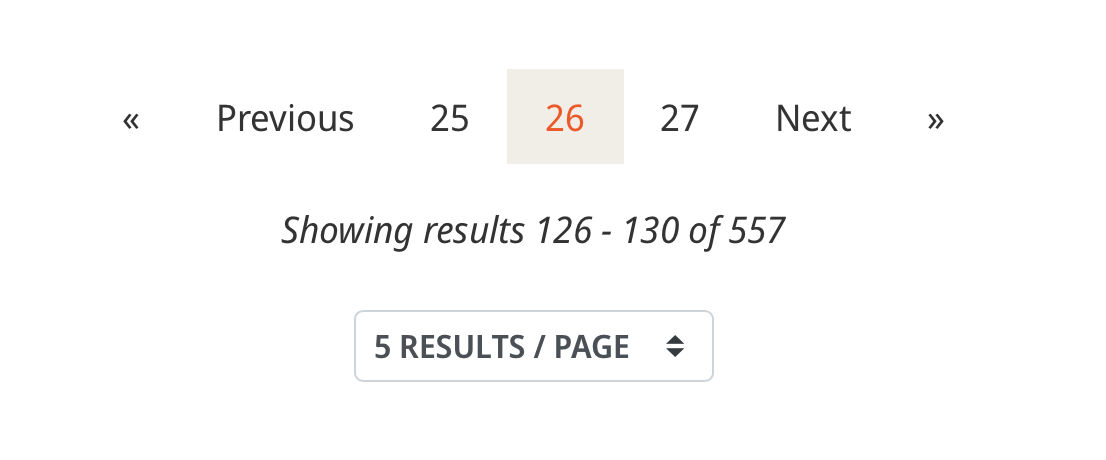
- [NEW] Pagination of search results indicates which results are currently shown
Metadata search
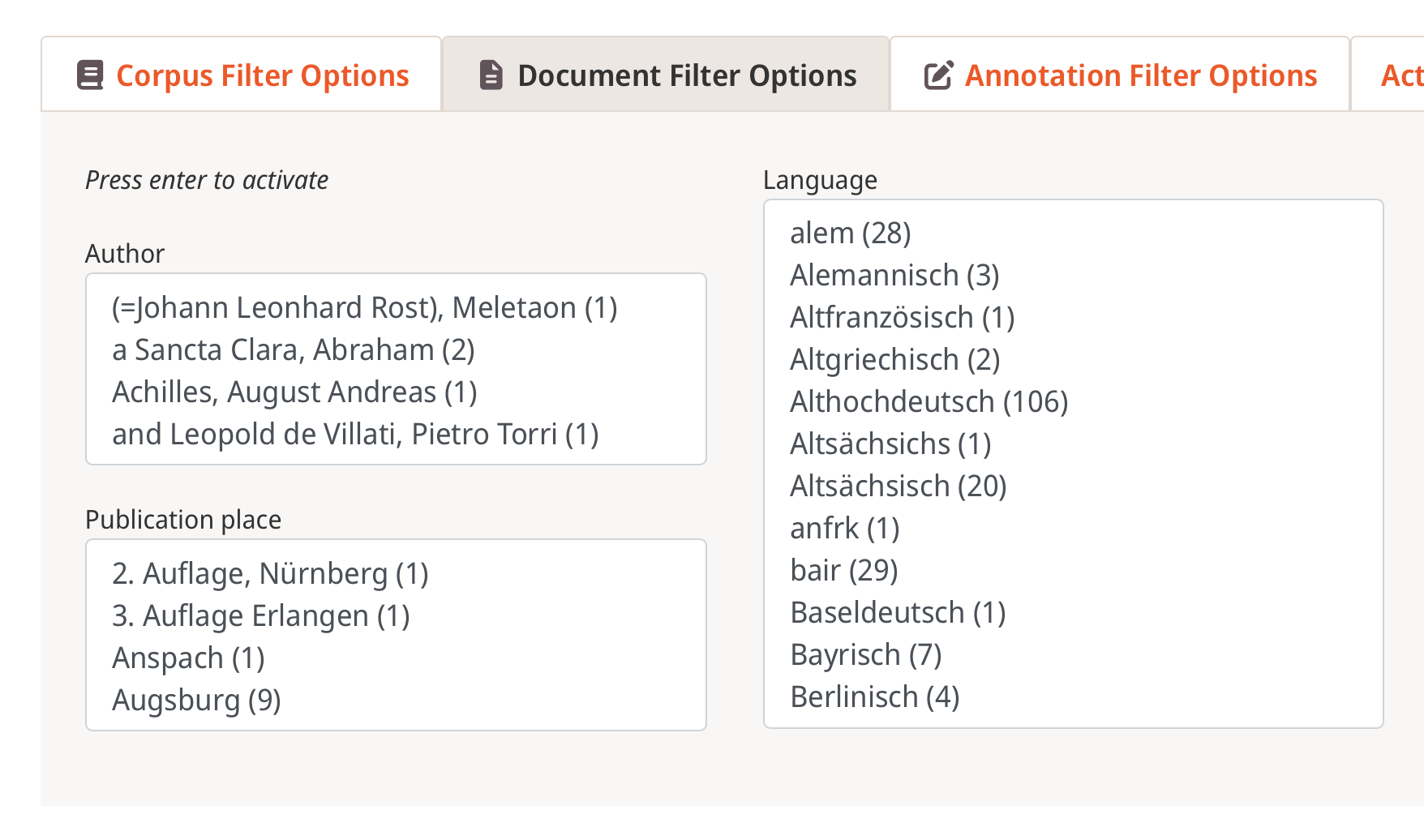
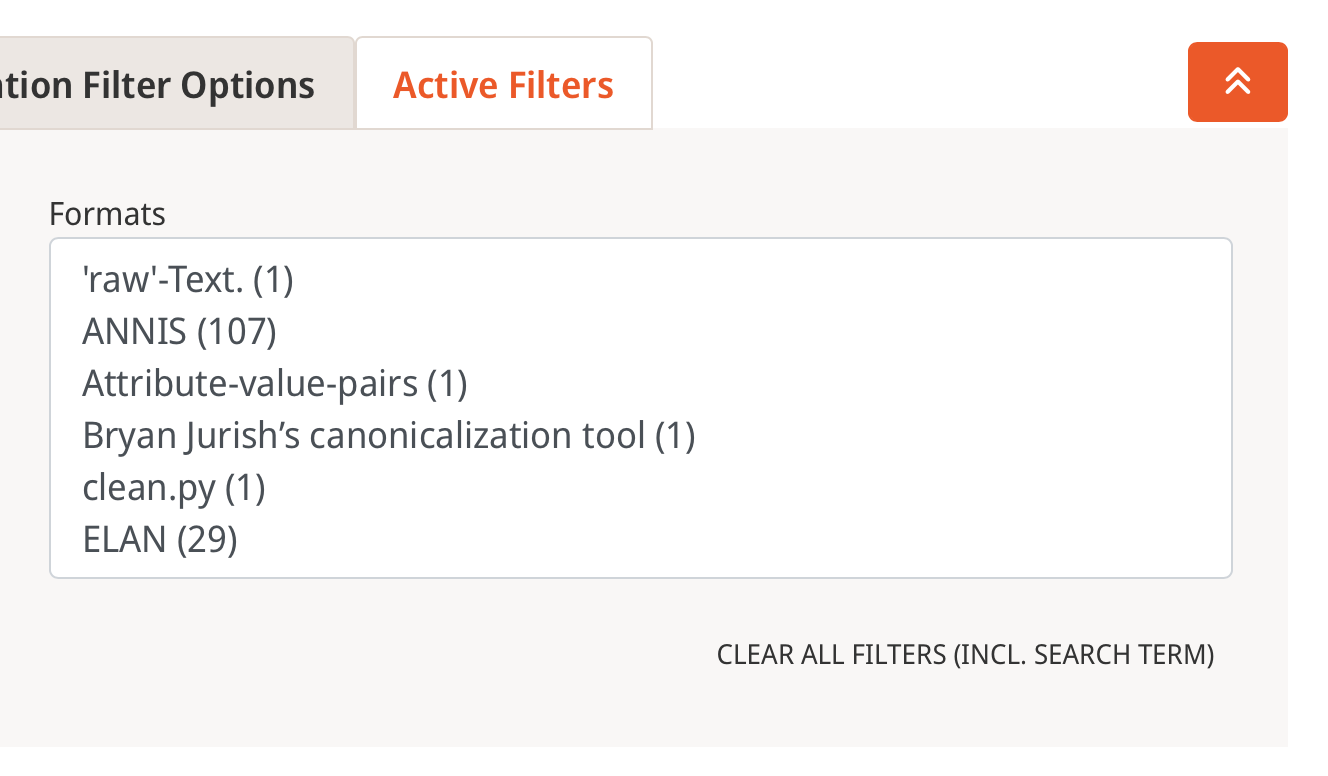
- [NEW] Analoguously to plaintext filter options, metadata filter options now also show counts for each possible metadata value (in pre-defined selections)
Corpus filter counts Document filter counts Annotation filter counts

Plaintext search
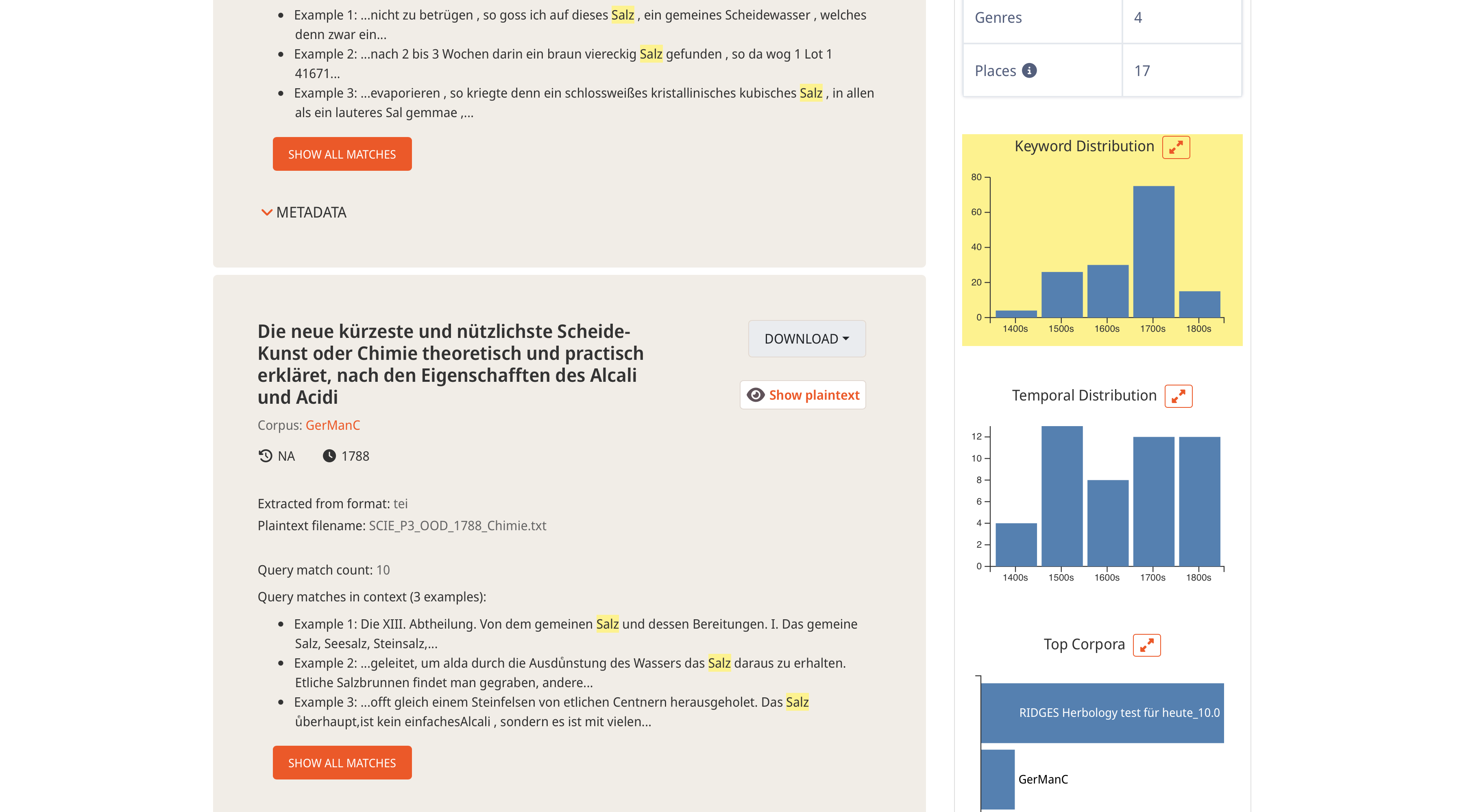
- [CHANGE] Temporal distribution of keyword matches is now shown at top of chart views for better comparability with general temporal distribution + this chart is highlighted the same as keyword matches for visual cohesion
Misc.
- [NEW] Added checks to pagination on click of numbered pages whether or not to fecth next batch of data
- [CHANGE/FIX] Added checks for existence of "document_history_original_place" for calculating statistics
- [CHANGE] Commented out button explaining results count (shown when total > fetched)
- [CHANGE] Tooltip for "Download All" button in plaintext search (shown when total > fetched) uses active document limit instead of hard-coded number
- [FIX] Use stable corpus description extraction logic from previous release in two other places as well
1.4.0 (2026-08-21)
Important: all count-based information introduced here is calculated based on fetched data only. For example, if there are 5,000 documents in the database and we fetch only 1,000 documents at a time (see release notes for version 1.3.3), all distributions reflect the 1,000 fetched documents.
General search UI (there are overlapping, but important additional updates in "Plaintext search" as well)
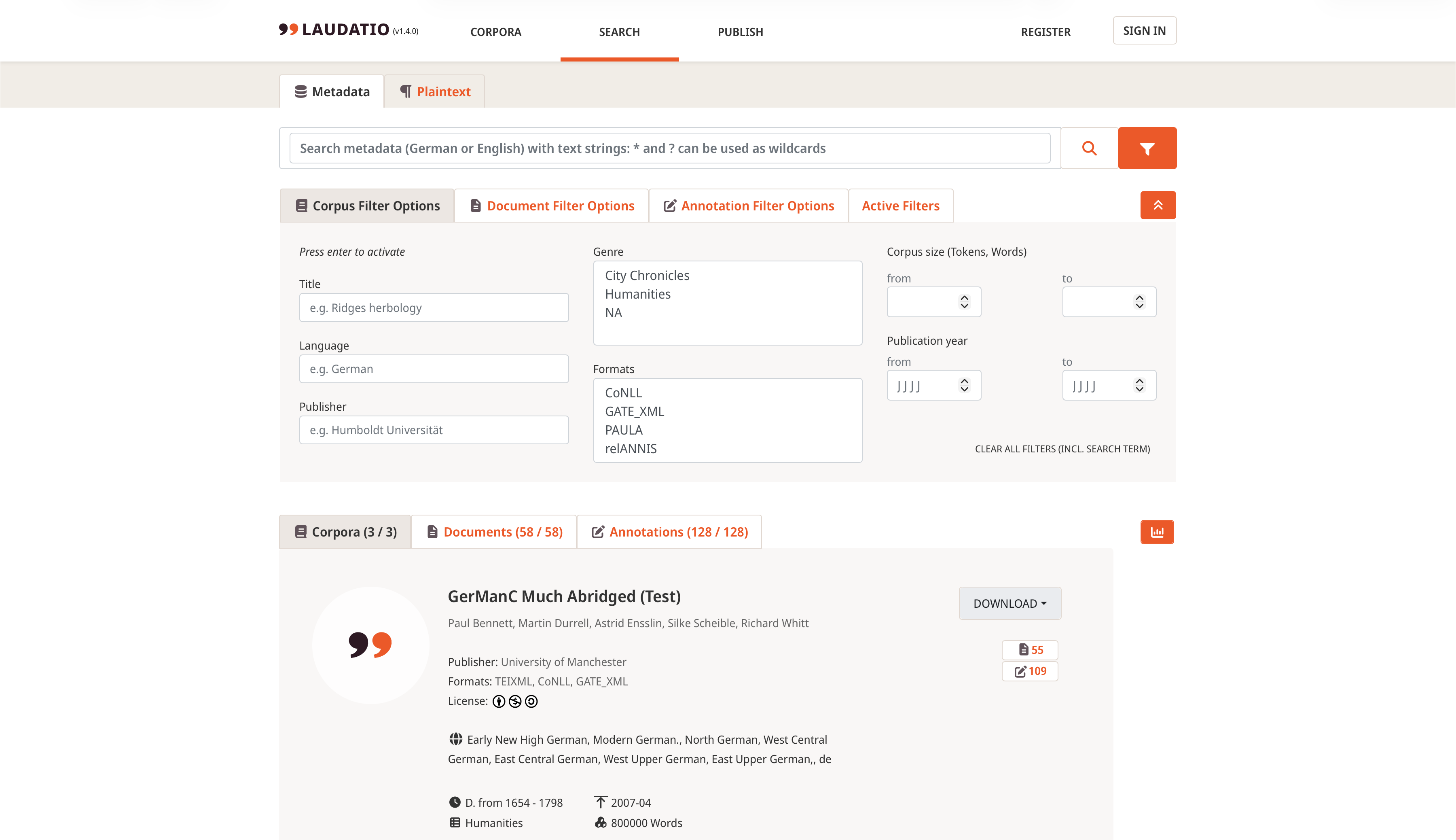
- [NEW/CHANGE] Moved metatada filters above search results with new design (are toggled on per default; can be toggled on/off with the funnel button next to the magnifying glass; can also be toggled off with the ↟ button)
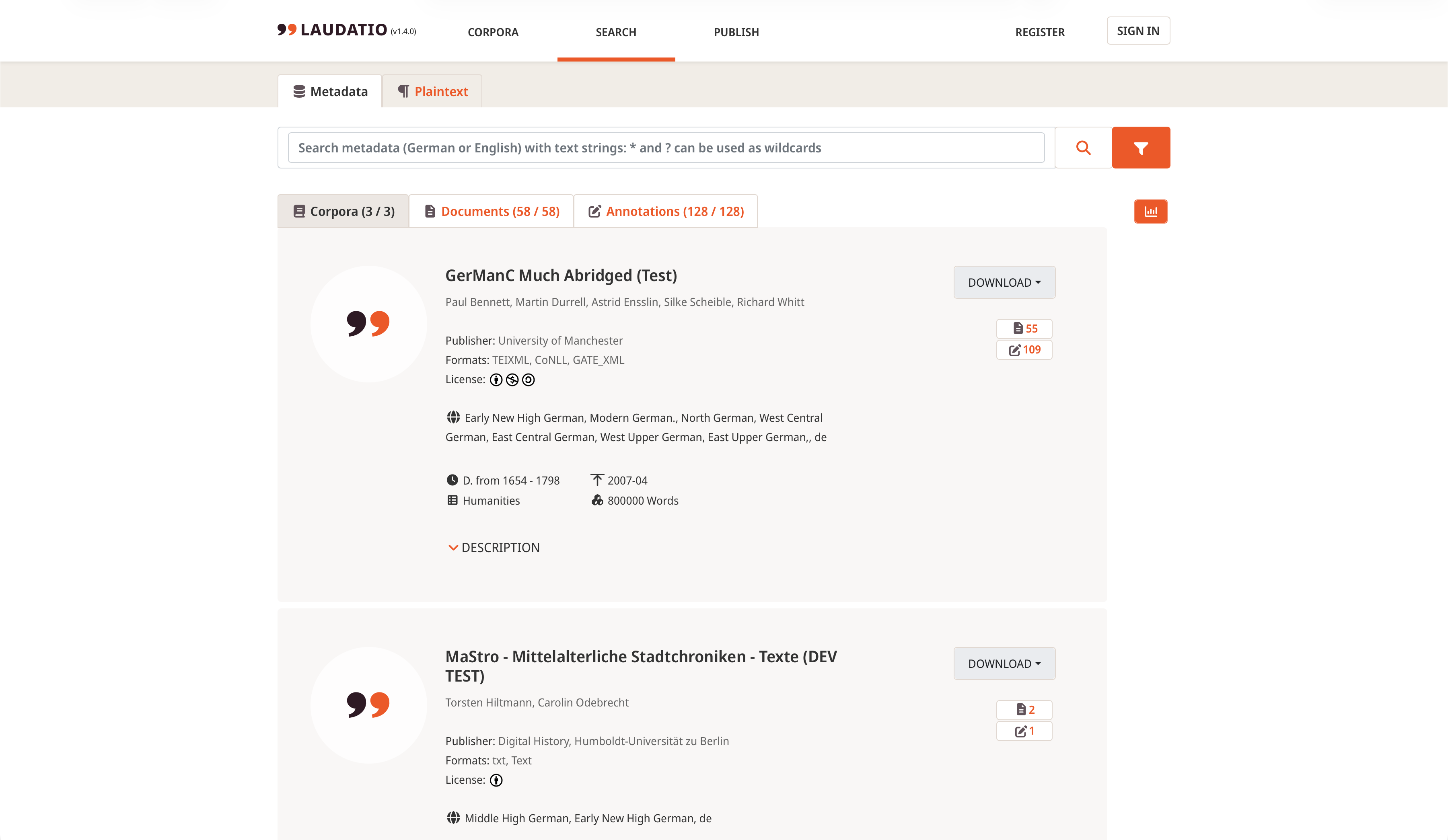
- [NEW] Added new statistics button and column to the right of search results (are toggled off per default)
Results without statistics Results with statistics
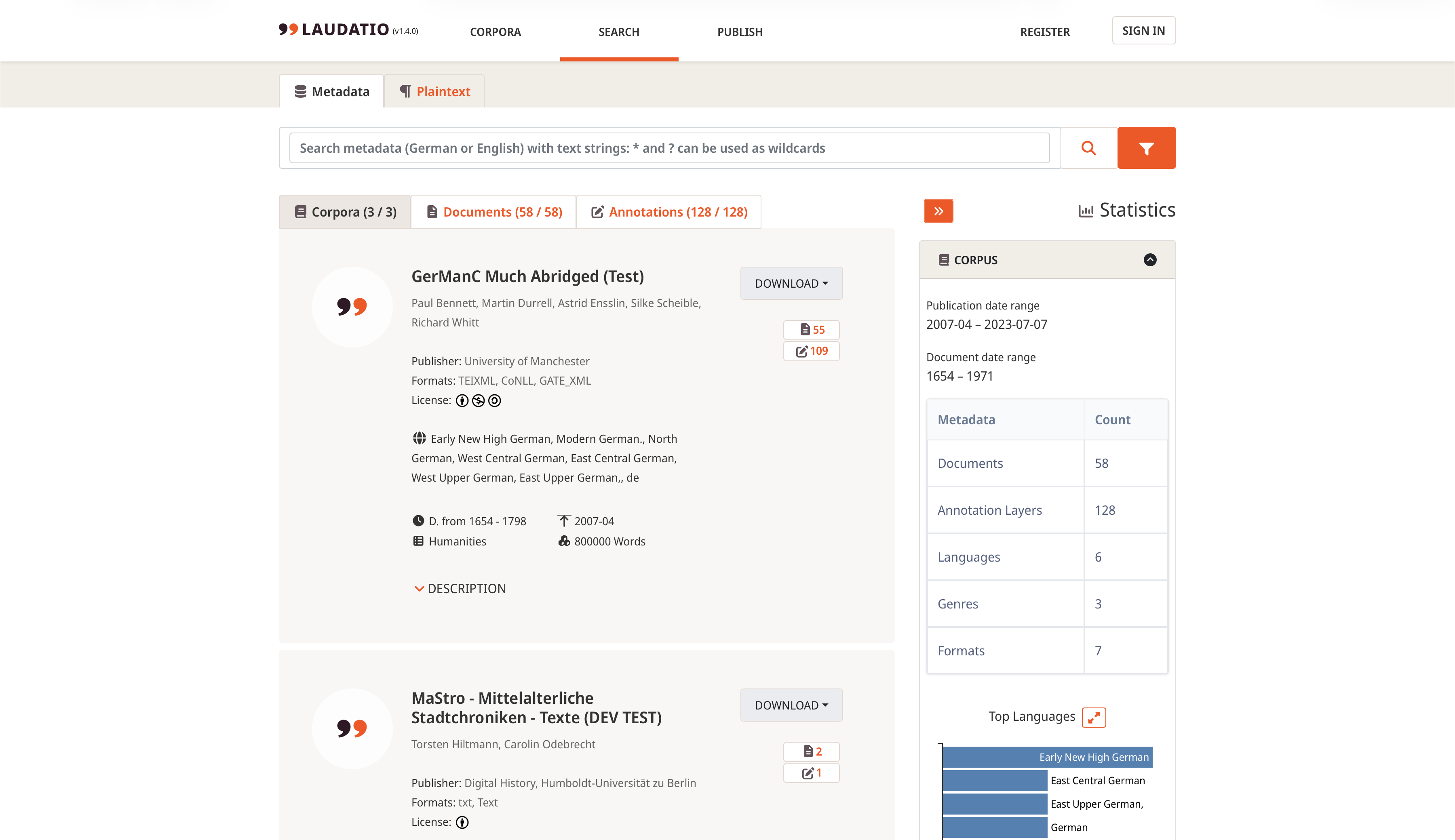
- Statistics include a table and bar charts of metadata distributions (bar charts show up to five top results per default, but can be expanded with the ⤢ button to show all in descending order):
- For corpora:
- Table: Count of all associated documents, annotation layers, languages, genres, and formats
- Charts: Top most frequent languages, genres, and formats
- For documents:
- Table: Count of all associated corpora, authors, languages, genres, publication places, and source publication places
- Charts: Top most frequent corpora, languages, and genres
- For annotations:
- Table: Count of all associated corpora and formats
- Charts: Top most frequent corpora and formats
- For plaintexts:
- Table: Count of all associated corpora, documents, authors, languages, genres, and places (for an explanation, see below under "Plaintext search")
- Charts: Temporal distribution of search results (vertical bar chart) + top most frequent corpora, languages, genres, and places (all horizontal bar charts)
- For corpora:
Example: Expanded bar chart for language distribution of corpus results
-
[NEW] Changing metadata tab (corpora, documents, annotations) OR filter tab (corpus filter options, document filter options, annotation filter options) changes respective other tab AND corresponding statistics tab
-
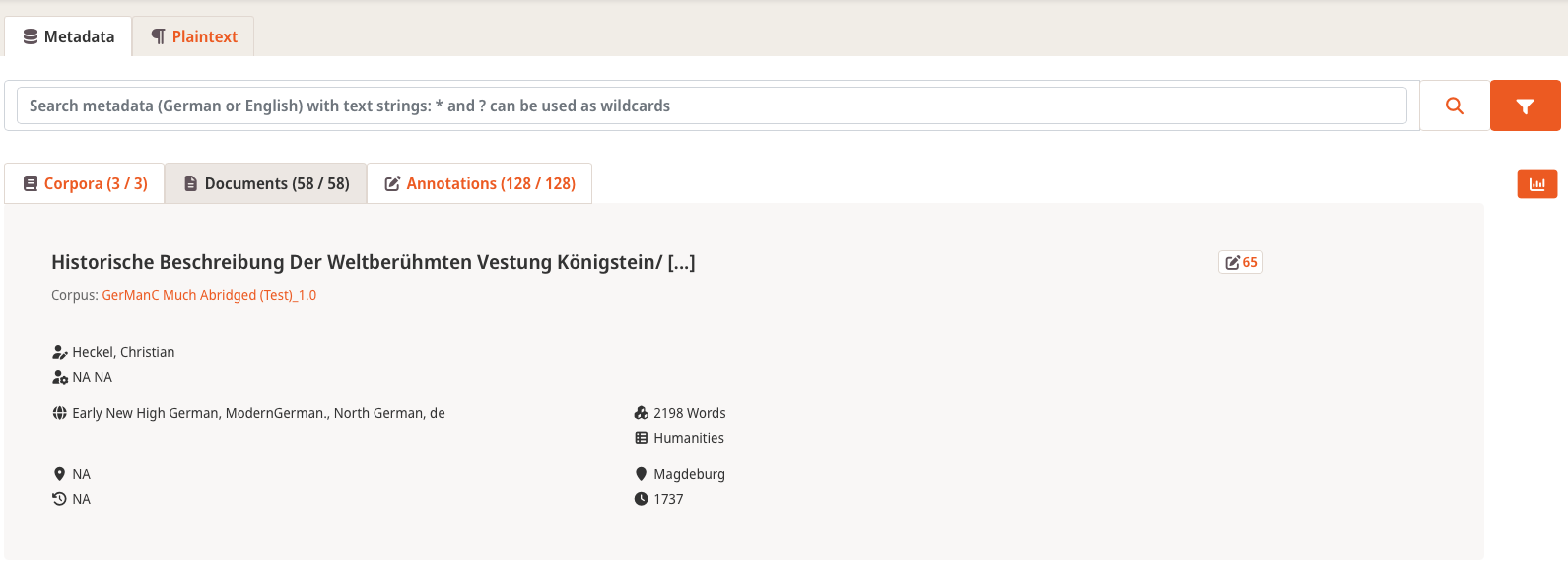
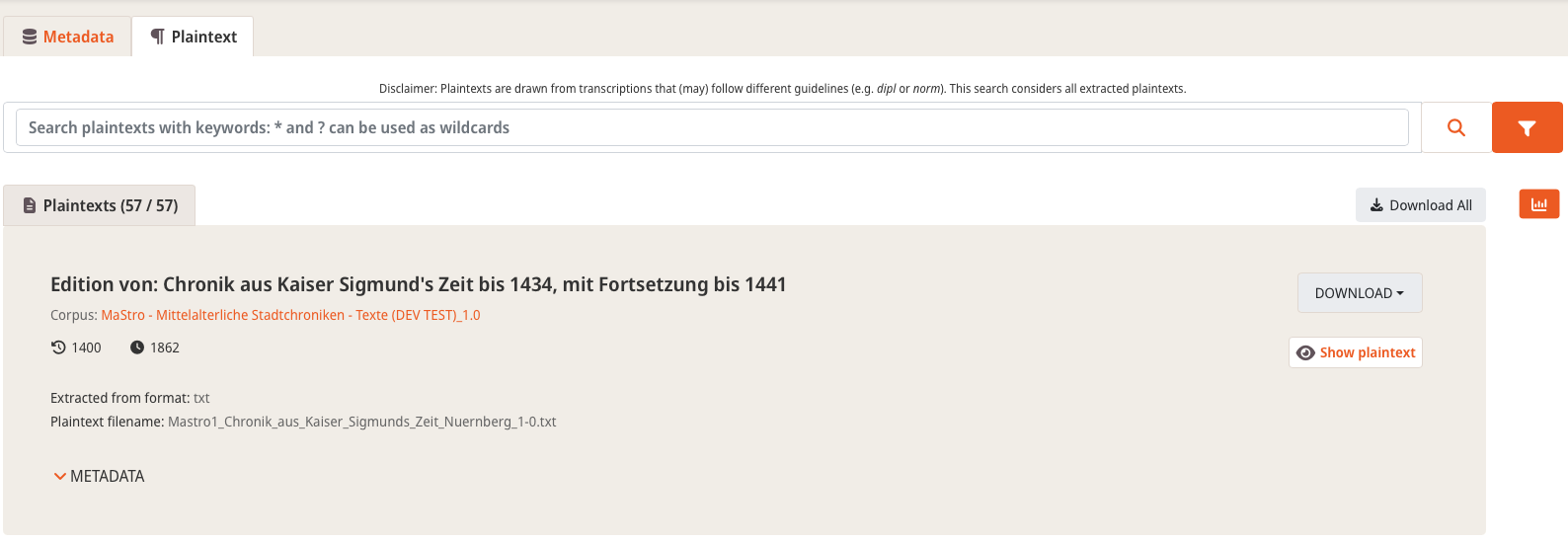
[CHANGE] Metadata search items and plaintext search items have now slightly different background colors for better distinction
Metadata search Plaintext search
Plaintext search
- [NEW] Added disclaimer to plaintext search

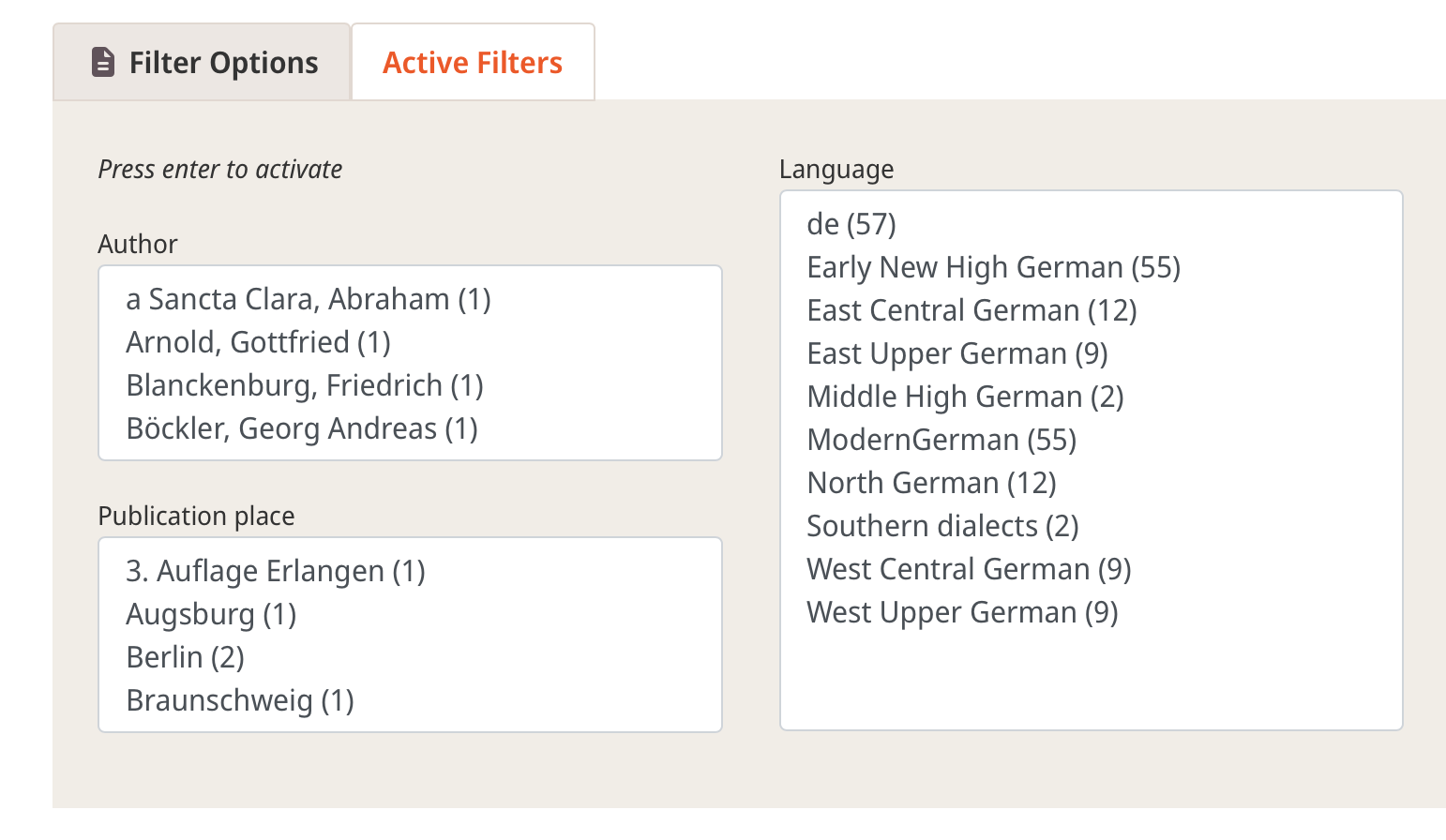
- [NEW] Selectable filter options (author, publication place, language) now show count of each possible value in brackets (e.g., "North German" is associated with 12 plaintexts)
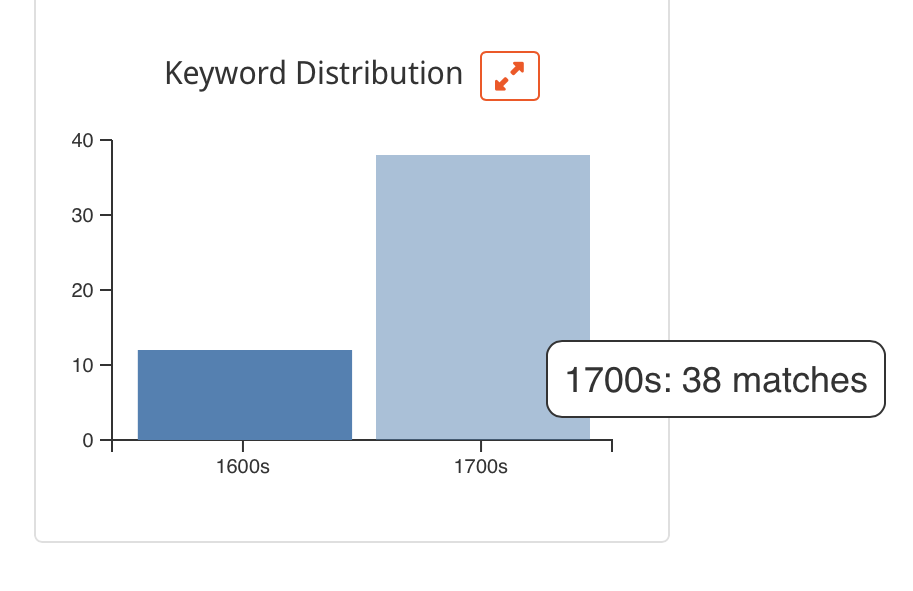
- [NEW] When a user searches for a keyword, the statistics column also gets a horizontal bar chart showing the temporal distribution of keyword matches (note that as opposed to all other bar charts, this does not mean the number of plaintexts, but the actual number of occurrences of the searched keyword)
-
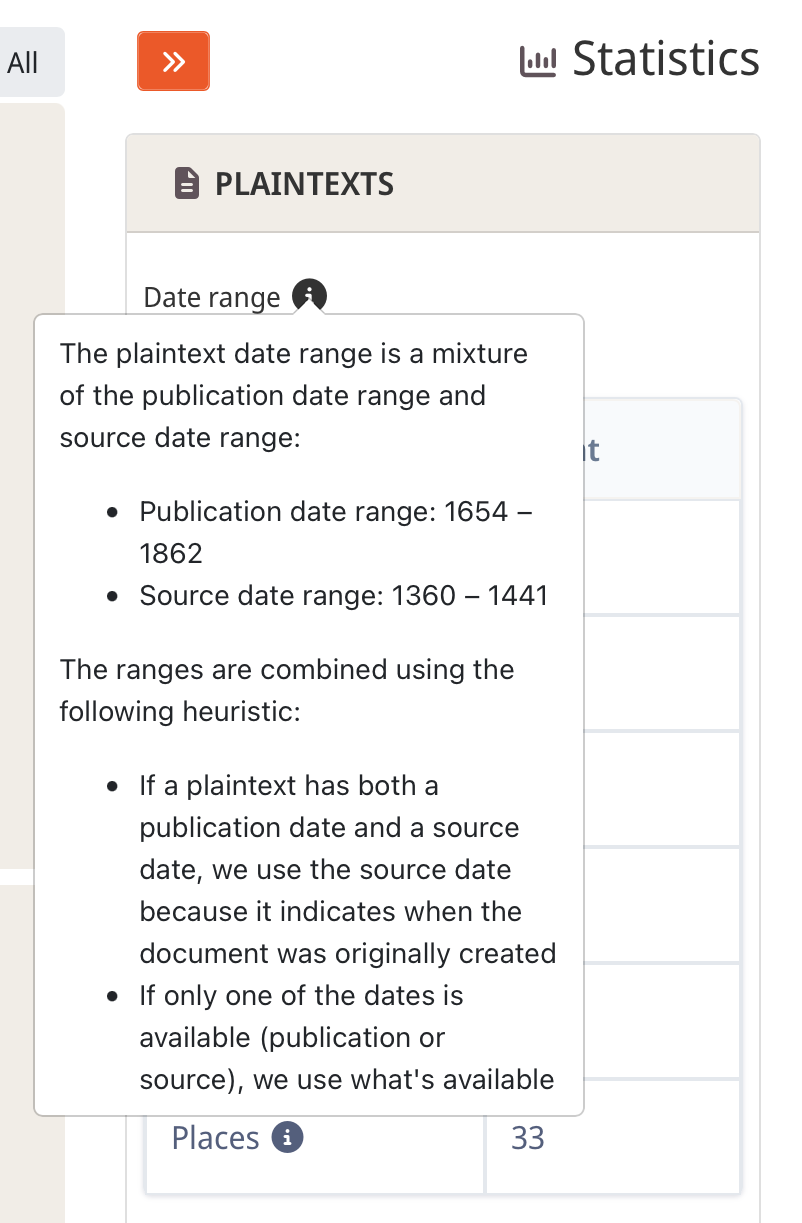
[NEW] The plaintext statistics show a consolidated "Date range" above the table
- This is a mixture of the publication date range and source date range (depending on what's available), the idea being that we want to convey the time period of the language as accurately as possible
- Therefore, if a plaintext has both a publication date and a source date, we use the source date because it indicates when the document was originally created
-
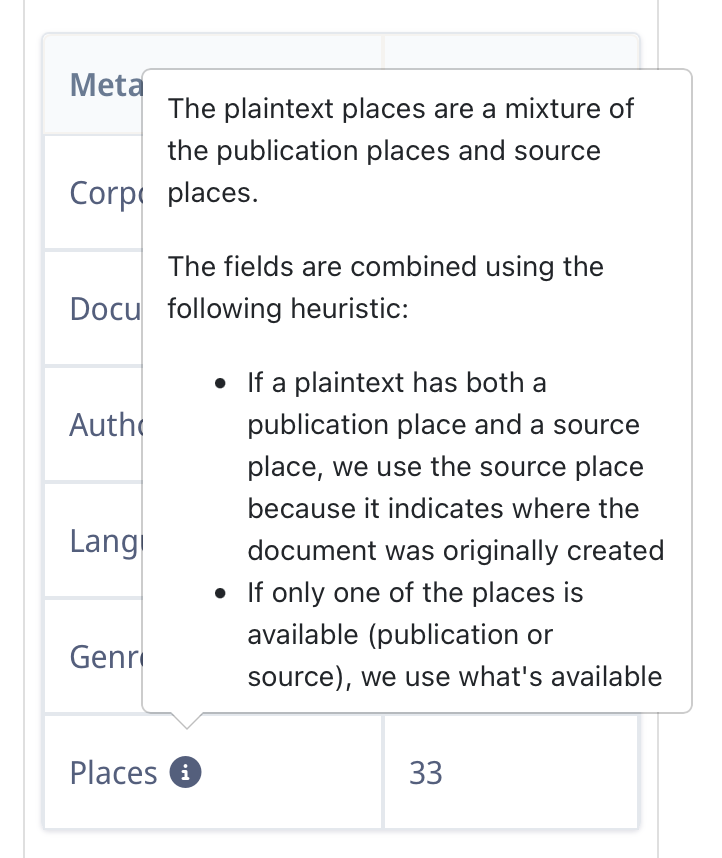
[NEW] The plaintext statistics show a consolidated "Places" row inside the table
- Similar to the consolidated "date range", we want to convey the actual creation place of a plaintext as accurately as possible
"Date range" explainer "Places" explainer
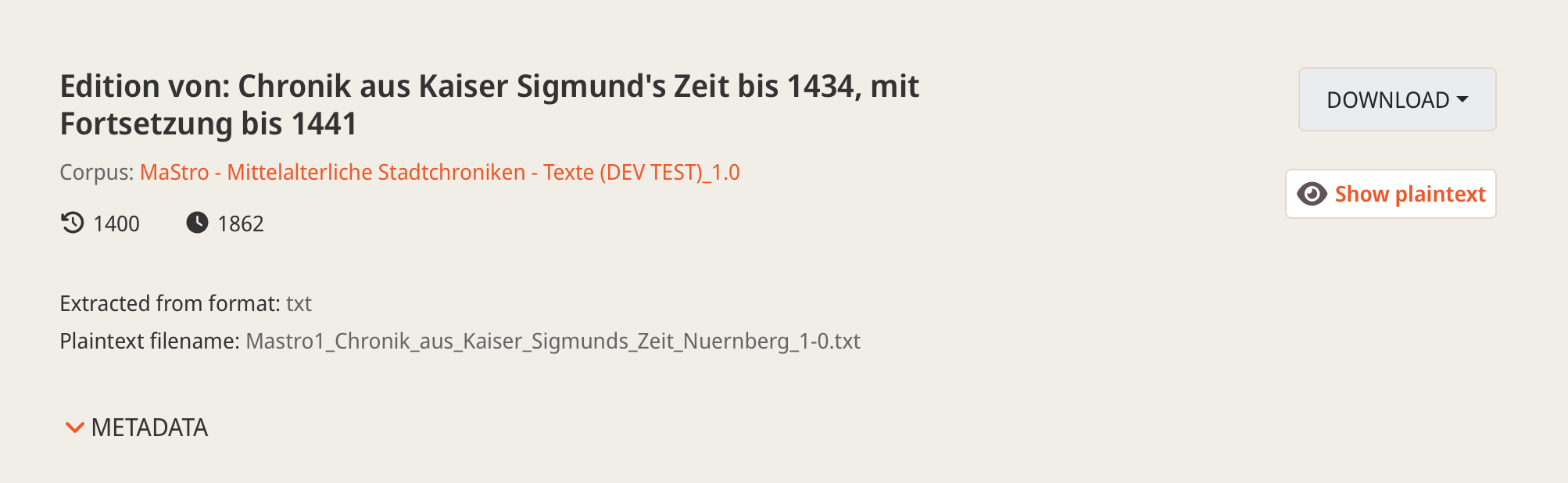
- [CHANGE] Aligned "Download" and "Show plaintext" differently, allowing for better legibility on narrower screens + "Download" buttons have a light border now (see below for how it looked before)
Misc.
- [FIX] Stabilized extraction of corpus description(s) from
corpusHeader.xmlwhen creating underlying GitLab project - [FIX] If annotation layers were filtered (e.g. by searching by name), their names were not clickable, preventing display of annotation detail page
- [FIX] When filtering corpora by publisher, spacing after ":" was wrong
- [CHANGE] Streamlined layout of footer

1.3.X
This section contains release notes for all patch versions of minor app version 1.3.
1.3.3 (2026-06-23)
Metadata display
- [NEW] Fetch 1,000 documents per default from Elasticsearch instead of 100
- [FIX/CHANGE] Made "Series Volume" and "Series Editor" visible in document metadata

- [CHANGE] Removed "Publication" display from document metadata as it is redundant with surrounding information
Corpus publication
- [FIX/CHANGE] If a corpus document references an annotation layer that is not given in
corpusHeader.xml(and therefore, no annotation header file is provided as well), corpus publication got stuck- We now added a graceful ignore for these kinds of annotations
Data ingestion
- [FIX/CHANGE] We now get all corpus, document, and annotation revisions from TEI files
Example: Metadata display for corpus revisions
- [FIX] Getting a corpus genre only worked from the second document onwards (both in general and on a per-genre basis); now even corpora with only one document get genre assigned correctly
- [CHANGE] For corpora with documents of different or multiple genres, all unique genres are now ingested

Example: Metadata display for a corpus where the documents have different and possibly multiple genres
1.3.2 (2026-06-17)
Metadata display
- [FIX] Sometimes, optional document metadata fields were shown with empty values, so we added checks for existence of these fields
1.3.1 (2026-06-09)
Data ingestion
- [FIX/CHANGE] Annotation guidelines ingestion now happens in bulk, speeding up the process
- [CHANGE] Added longer timeout to ES ingestion calls
1.3.0 (2026-06-05)
Plaintext extraction (Architecture/Backend)
- Major re-structuring of plaintext extraction by now using asynchronous queue jobs to extract plaintext in the background (jobs are started on clicking "Finish Upload")
- Before this, users had to wait on LAUDATIO for extraction to finish; now, they are free to browse LAUDATIO or quit the browser after uploading .zip corpus archive
- Users get notified via e-mail when plaintext extraction has completed
Plaintext search
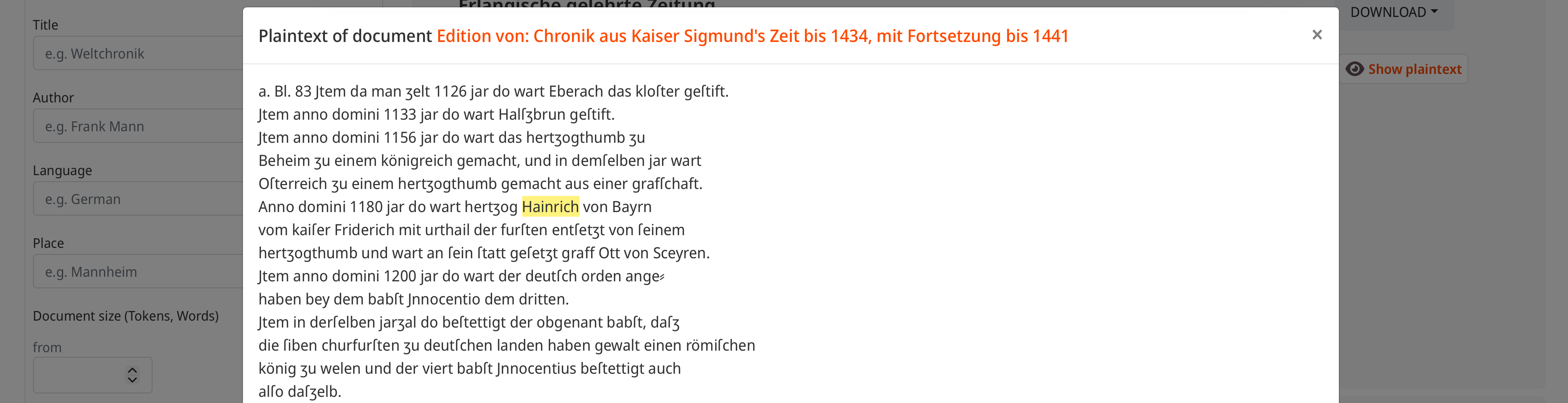
- "Show plaintext" now highlights the matched words as well if a search keyword was entered
Data ingestion
- [FIX] Annotation guidelines were not correctly ingested into ES, now they are shown again
1.2.X
This section contains release notes for all patch versions of minor app version 1.2.
1.2.0 (2026-05-21)
Plaintext search
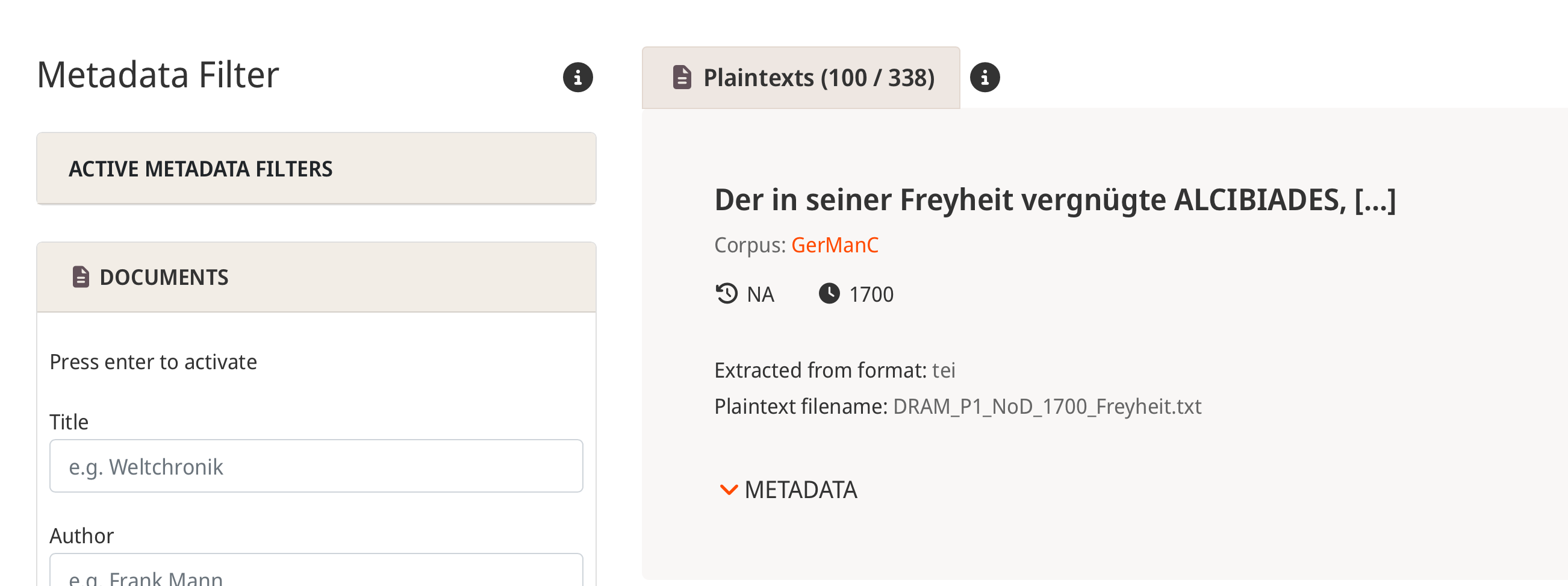
- Simplified display of plaintext results, allowing for more results to be immediately visible:
Default shows only title, corpus, dates (in one row), and basic plaintext information
The remaining metadata can be expanded below
- On searching for a keyword, matches are shown per default without the need to expand them:
These are placed between base metadata and remaining metadata
- New "Show plaintext" button
The "Show plaintext" button opens a modal window displaying the complete plaintext
- Made clearer that the filters on the left operate on the metadata
Metadata search
- Expanded corpus descriptions are now aligned and have a visual divider (same as plaintext metadata, see above)
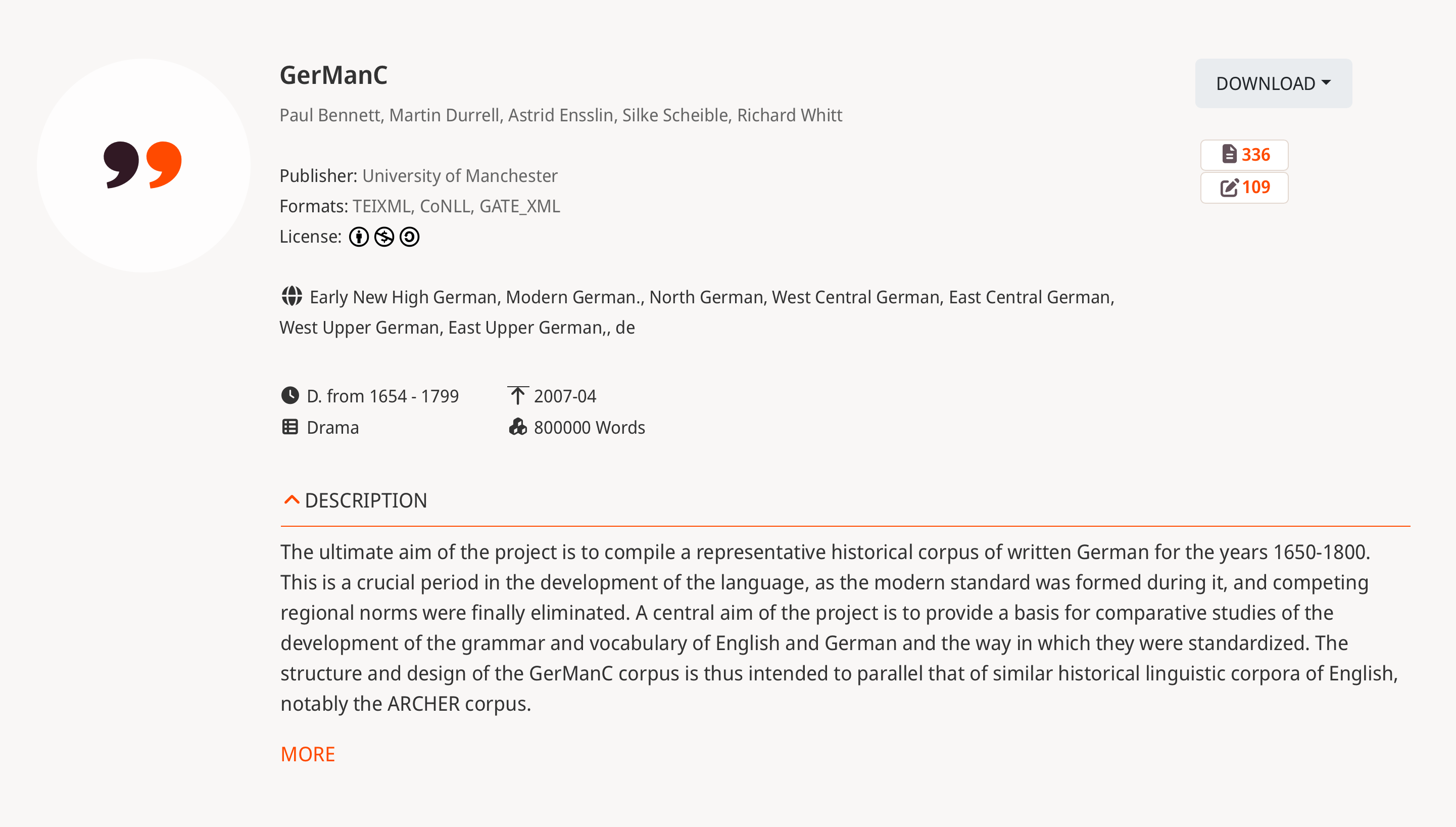
- Corpus descriptions are placed correctly on very small screens now (before, some metadata would be placed between "Description" toggle and actual description)
Visualizations
- [FIX] Bar chart axis ticks were wrongly formatted (float instead of integer)
Misc.
- Added LAUDATIO favicon
- Replaced IfG logo in footer with Digital History Berlin logo
- Added links to all logos in footer
1.1.X
This section contains release notes for all patch versions of minor app version 1.1.
1.1.5 (2026-05-12)
Plaintext search/display
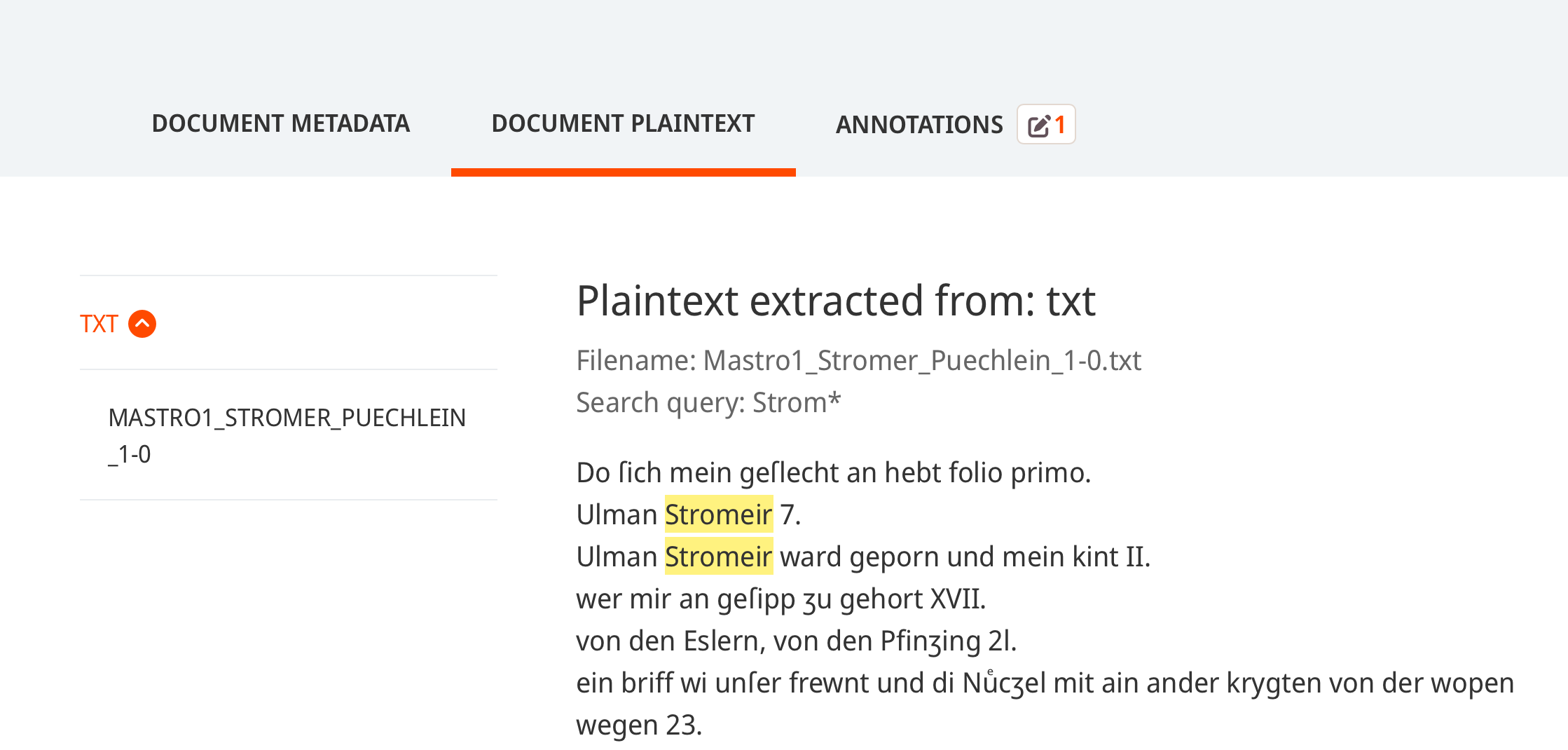
- When clicking on a document title in match window, document view with plaintext is shown
- When clicking on document title after searching for plaintext in corpus view, document view with plaintext is shown
- In both cases, search query is also shown in document view and respective matches are highlighted in plaintext display
1.1.4 (2026-05-11)
Plaintext search
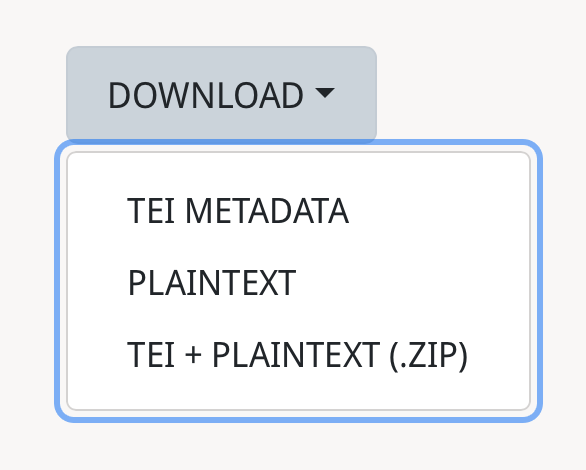
- Enabled downloading TEI metadata + plaintext file for a search result (as a .zip archive)
1.1.3 (2026-05-08)
Plaintext search
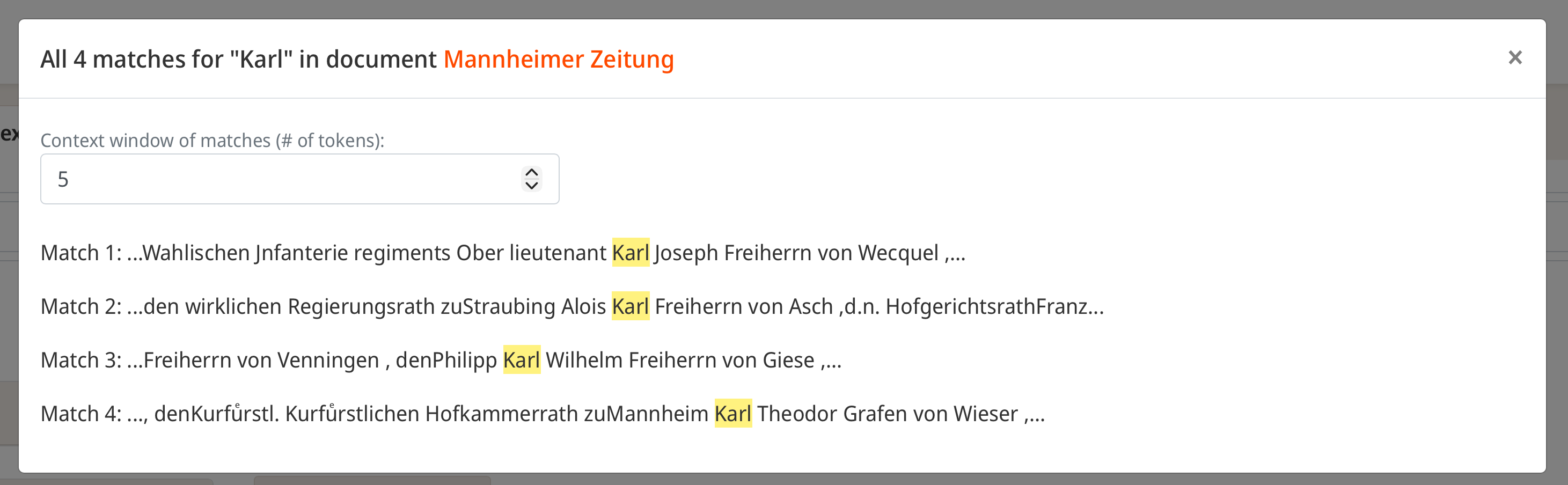
- Enabled showing all matches in context for plaintext results
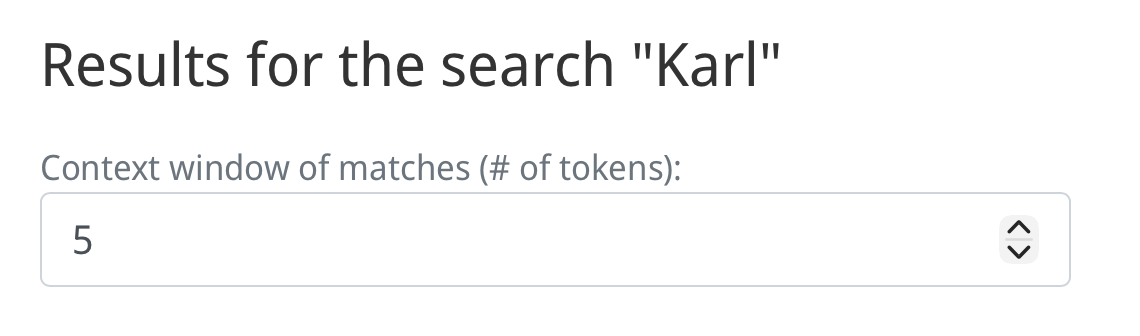
- Enabled changing context window for plaintext matches
- Download of both TEI metadata file and plaintext file now possible
- Use document title as primary identifier of plaintext results
- Changed "text strings" in search placeholder to "keywords"
UI/UX
- Annotation metadata can now be downloaded from annotation detail page
1.1.2 (2026-05-07)
UI/UX
- Added banner when previewing unpublished corpus that one is viewing unpublished working version

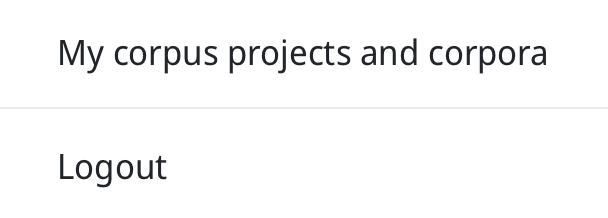
- Added link to personal corpus projects and corpora to account menu
- Clarified breadcrumbs when previewing unpublished corpora

- [FIX] When registering with LAUDATIO, clicking on the checkbox before entering affiliation prevented the button to become active
1.1.1 (2026-04-24)
Plaintext extraction
- [FIX] TEI extraction was slightly inacurrate; now preserves basic layout information as well (e.g. line breaks on
divorptags) - [FIX] Trailing whitespaces from search query are now trimmed, because counter did not work if they were present
1.1.0 (2026-04-22) RELEASE I
Architecture
- Modularized and containerized the previously monolithic software architecture
- Established a functioning CI/CD pipeline for the automatic deployment of LAUDATIO
- Updated a lot of dependencies (e.g. Elasticsearch v7 -> v8) and standardized dependency usage (e.g. source code for
BootstrapandFontAwesomeicons was hard-coded in repo previously)- In doing so, the frontend bundling pipeline was changed from
laravel-mixtovite
- In doing so, the frontend bundling pipeline was changed from
- Cleaned up code by removing unused files, routes, or functions
Plaintext extraction
- Implemented basic pipelines for plaintext extraction
- Implemented plaintext display and download capabilities
- Implemented new plaintext search page
Visualizations
- Added nine basic prototypes for various metadata visualizations to front page for exploring corpora
- Aggregate charts (4): bar charts for distributions of genre, language, format, and corpus size (in tokens)
- Corpus-level charts (3): pie charts for corpus size (in tokens and in files) and bar chart for date range of each corpus
- Network-based (2): graphs that show which languages and which formats are shared between corpora
UI/UX
- Increased speed of fetching all corpora
- Improved caching on page displaying all corpora (-> now, changing number of results / page or sorting is much fastere)
Backend
- The previous data validation and ingestion flow using git pre-commit hooks was replaced with a modular Flask-API
- Since validation and ingestion are now broken up into multiple API calls, testing them becomes easier and using the pipeline more stable
- Paired with the containerization described in Architecture, this improves separation of concerns
1.0 (July 2021)
The baseline release of LAUDATIO prior to the TextPloring project. The published code corresponds to the production version that is accessible under https://www.laudatio-repository.org. At the end of TextPloring, the production deployment will be replaced by version 2.0 of LAUDATIO.